Typewriter is now an Edulog partner
Typewriter is an Edulog partner and enables secure login via participating Swiss identity providers.
Typewriter is now a proud partner of the Edulog project, which simplifies and unifies access to online services for students, learners and staff of Swiss education institutions (Edulog partner list). As a service provider we enable secure and easy login via participating identity providers. Managing or remembering many different passwords is a thing of the past.
How do you enable Edulog login for a Typewriter user?
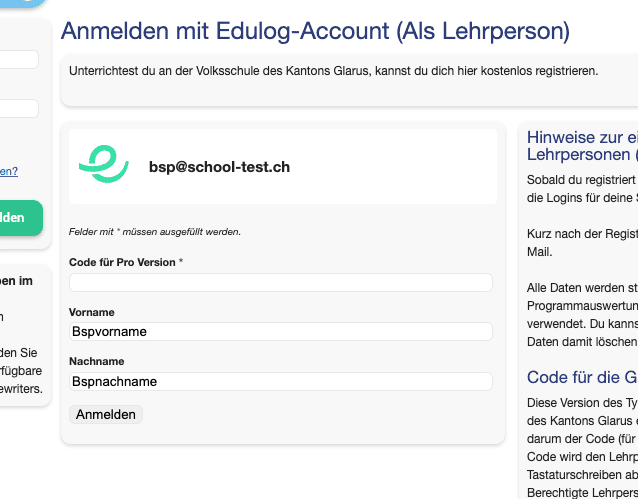
Option 1 — register new: If you don’t yet have a Typewriter account with your Edulog account, you can create one via the “Sign in” button. For the Plus and Pro versions the corresponding access code is needed (only teachers can register this way).
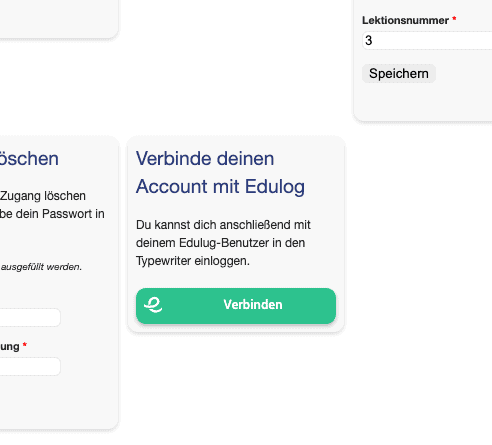
Option 2 — existing user: Existing Typewriter users can connect their account to Edulog via the user profile (navigation item “Profile”).
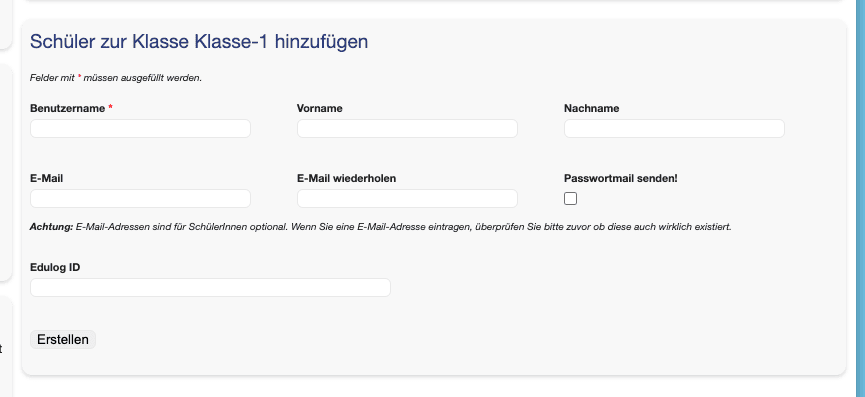
Option 3 — teacher creates students: When creating students via the class list, teachers can enter the Edulog ID. The students are then linked to Edulog. You can usually obtain this ID via your school administration software (technical name: “EdulogPersonTechID”).
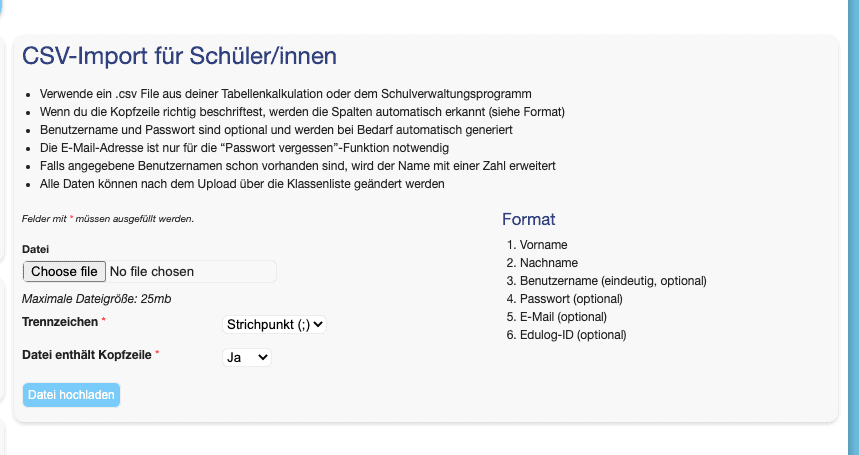
Option 4 — teacher imports students: The CSV import (navigation item “Class”, availability: Plus & Pro) also supports the Edulog ID. The column name is “Edulog-ID” and is optional. If students are imported with this ID, they are linked to Edulog automatically.
What data do we request?
Typewriter currently stores only the first and last name and the email address forwarded to us by Edulog and the identity provider (and of course the Edulog ID).